WHOOP integration review · real Android UI

Aurora turns goals and meals into a daily nutrition plan—with WHOOP as trusted context.

Members set a goal, receive daily calorie and macro targets, and log meals by voice, text or photo. With permission, qualifying WHOOP signals can inform the plan while Aurora keeps the source and every applied change visible.

  • Goal-led calorie and macro planning
  • Fast, reviewable food logging
  • Source-labelled wearable context

Real product evidence. Captured from the current Aurora Android app on 10 August 2026. No conceptual mockups are used.

Reviewer walkthrough

Five real screens. One connected nutrition loop.

Each image opens at full resolution for closer UX review.

01 · Profile and goals

Start with a personal goal

Goal type, target weight, timeframe, activity pattern and diet establish the baseline and safety rails. A wearable is optional: it adds context to the plan rather than replacing the member's goal.
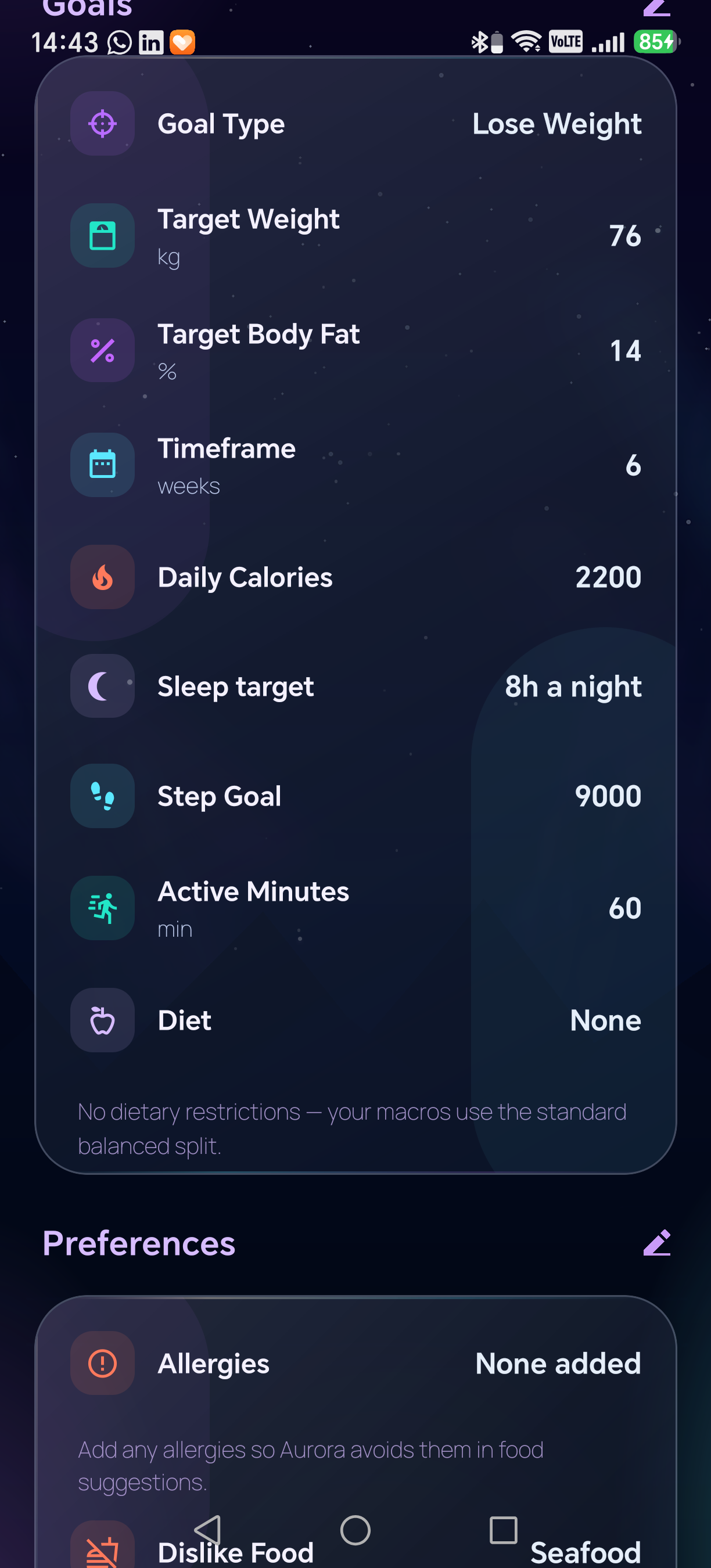
Aurora Goals screen showing weight, body-fat, timeframe, calorie, sleep, step, activity and diet goalsOpen full size
Current Aurora Android screen · real account data
02 · Today's plan

Turn the goal into calories and macros

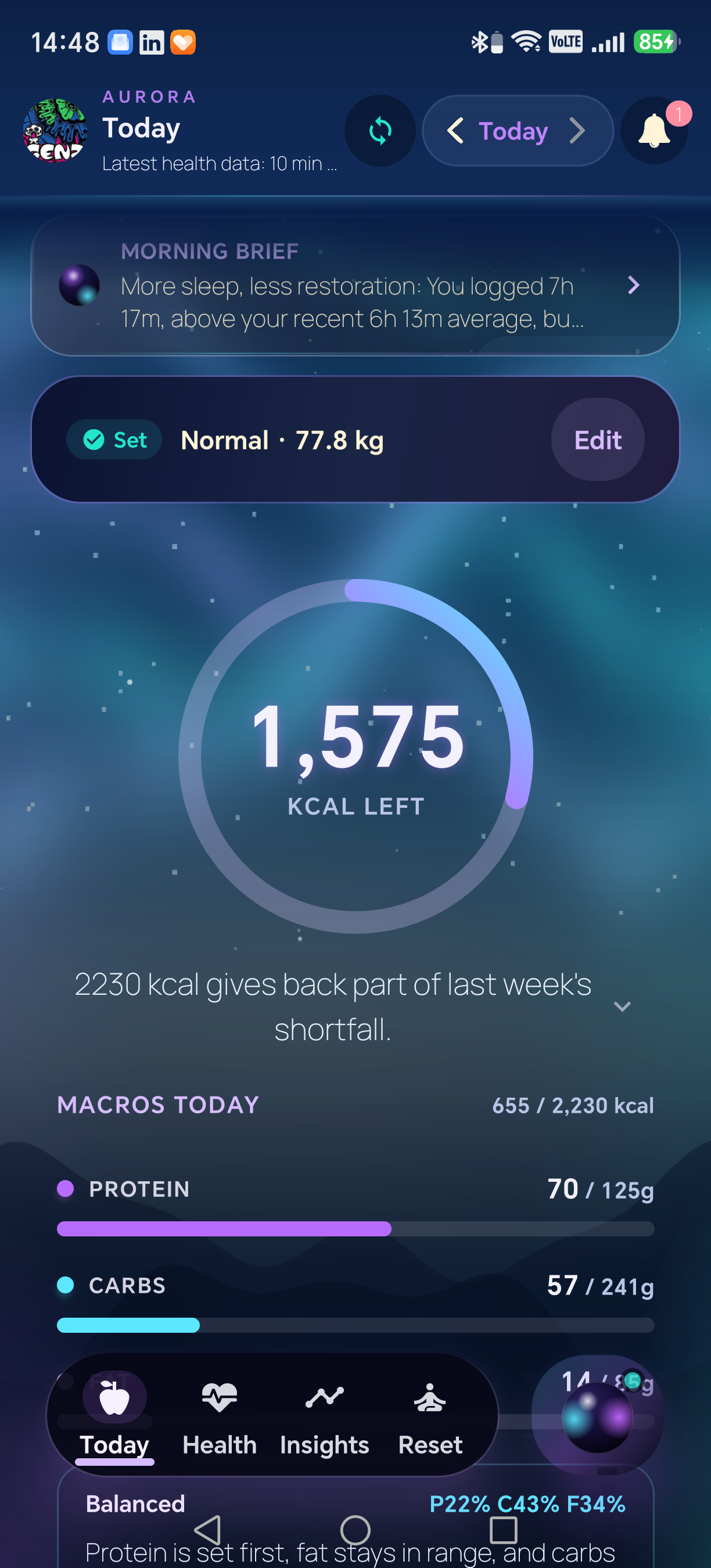
Aurora turns the saved baseline into a daily calorie target and Protein, Carbs and Fat goals. As food is logged, the same screen shows exactly what remains.

Aurora Today screen showing 1,575 calories remaining and live protein, carbohydrate and fat progress after lunchOpen full size
Current Aurora Android screen · real account data
03 · Food logging

Log a meal by voice, text or photo

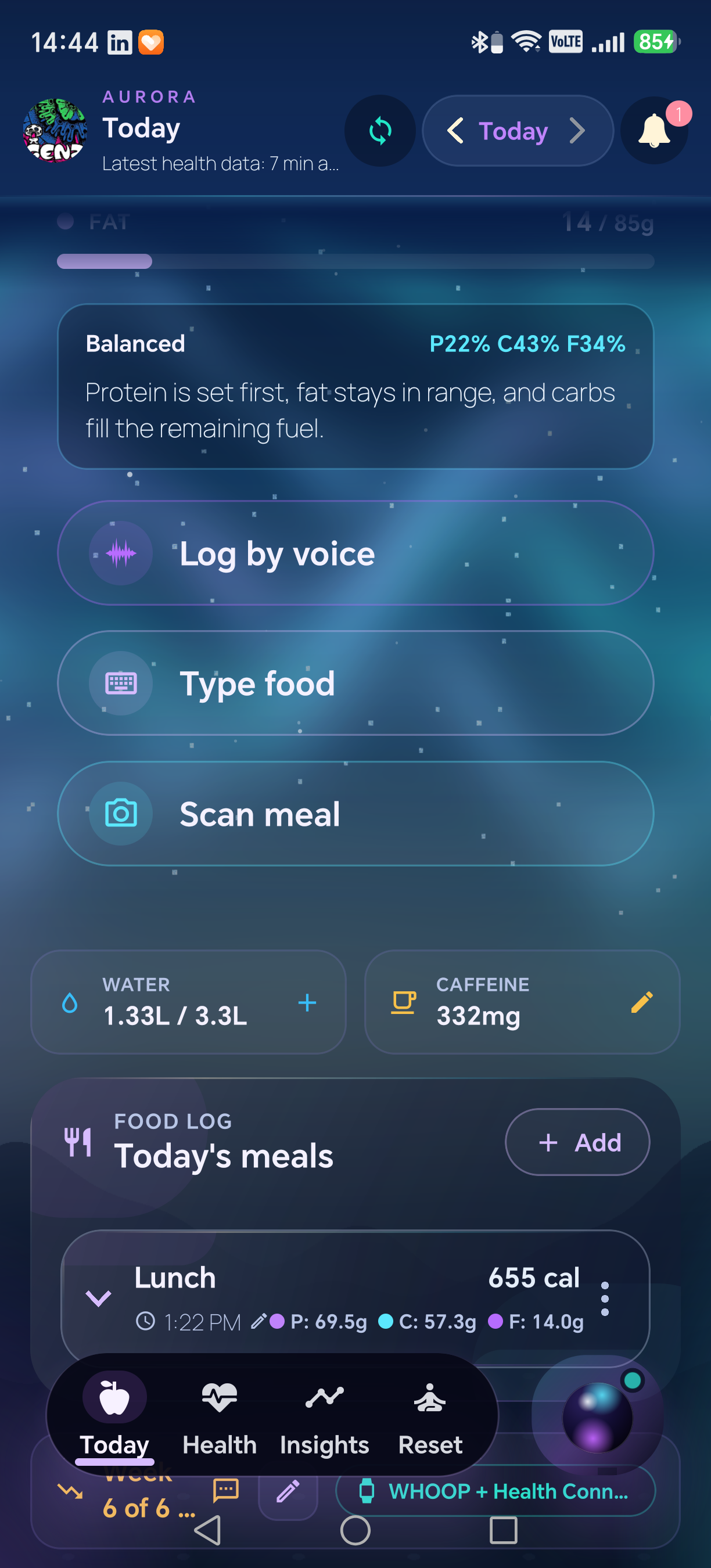
Members can describe a meal, type it or scan a photo. Aurora makes the estimate reviewable before saving, then adds the meal to Today's meals with calories and macro totals visible.

Aurora Today screen showing voice, typed and photo food logging alongside a real saved lunch with calories and macrosOpen full size
Current Aurora Android screen · real account data
04 · Nutrition feedback

Keep nutrition progress connected to its source

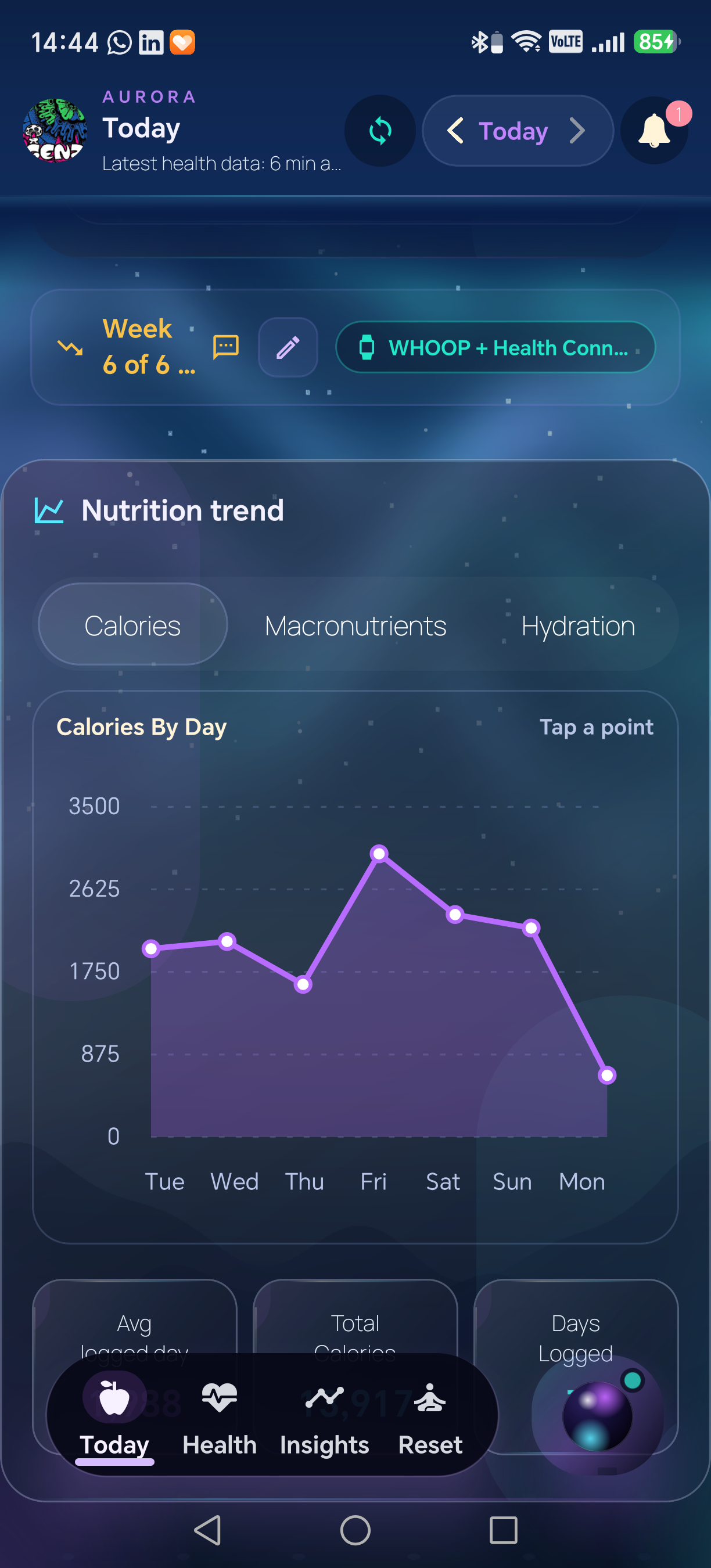
Aurora connects daily logging to a weekly nutrition view while keeping wearable attribution visible. WHOOP remains a named input inside the wider nutrition experience.

Aurora weekly calorie trend with visible WHOOP and Health Connect source attributionOpen full size
Current Aurora Android screen · real account data
05 · Transparent target

Show how the final target was built

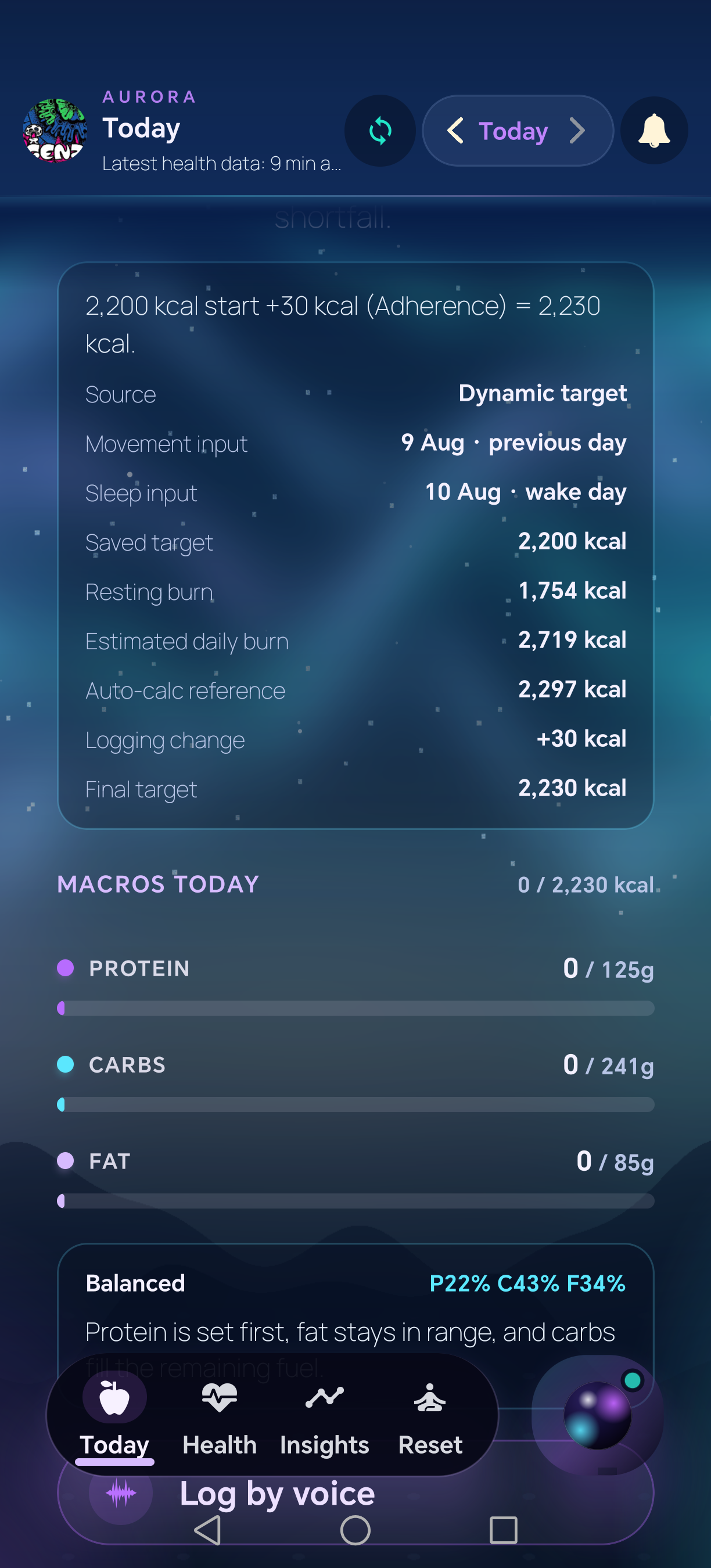
The target receipt shows source dates, the saved baseline, movement and sleep inputs, any qualifying change and the final calorie target. Macro grams are calculated from that final number.

This real captured day shows a +30 kcal adherence change. Aurora only shows a separate wearable change when a qualifying wearable adjustment was actually applied.

Aurora dynamic target receipt showing movement and sleep input dates, burn estimates, an adherence adjustment and final caloriesOpen full size
Current Aurora Android screen · real account data

Role of WHOOP data

WHOOP supplies the physiology. Aurora makes the nutrition decision understandable.

01

Authorized input

WHOOP data is accessed only after the member connects and authorizes the integration.

02

Bounded use

Movement and workout context may inform a positive adjustment only when the signal qualifies.

03

Member control

Members can see missing data, disconnect WHOOP, withdraw consent, export data or delete their account.